Projects

Case study · 02/02

Via Van Workspace

A custom CRM on monday.com for Via Van Turismo, built to replace a paper planner and manual processes.

Type
Professional project — Via Van Turismo
Year
2026
Tool
monday.com CRM

Client and driver data blurred in the images. Screens in Portuguese.

Context

At Via Van Turismo, in Inside Sales since June 2026, the work involves active prospecting and B2B relationships with companies and tourism and events partners in Santa Catarina, averaging 45 customer interactions a day.

The role includes managing the customer journey, from first contact to after-sales, and coordinating logistics, deadlines and quality with several suppliers and carriers.
Problem

Before, Via Van tracked every scheduled service in a paper planner. This manual control caused several process problems, such as lost information.

Manual processes took a lot of time. To send the voucher and the service order (OS) to the customer, a Google Docs template had to be filled in every time.

Process

How the flow works today

  1. 01

    Quote request

    The customer fills in and sends the quote form, and the request goes straight into the system.

  2. 02

    Quote

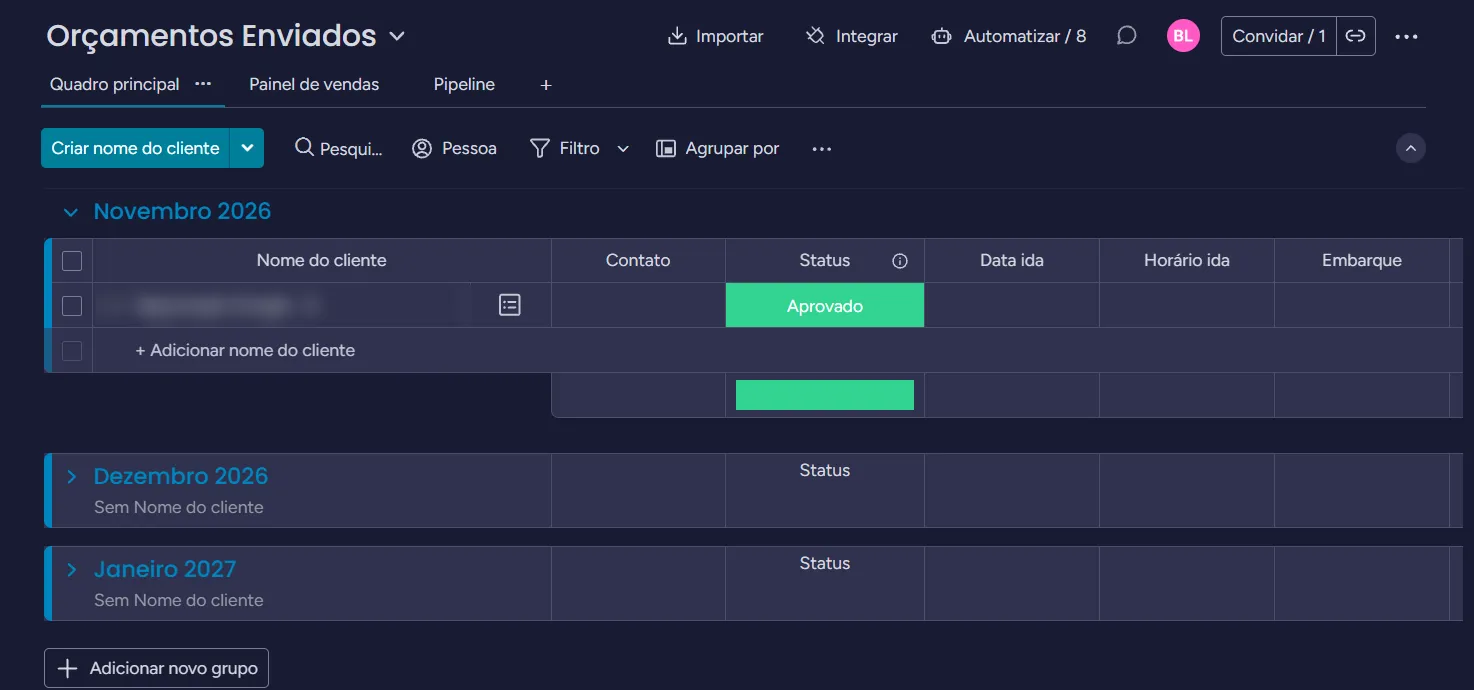
    The quote sits on the Sent Quotes board, organized by month and with a status.

  3. 03

    Approval

    When a quote is approved, an automation moves the service straight to the Service Schedule, already with the amount due and all the information needed.

  4. 04

    Voucher and service order

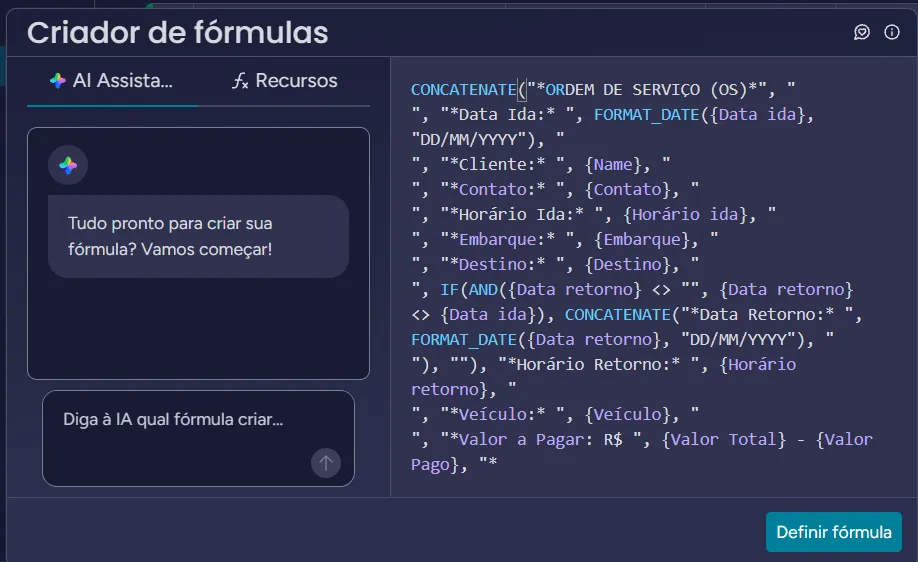
    A formula builds the service order text from the service data, with no Google Docs template needed.

Solution

A CRM workspace on monday.com with boards for quotes, service schedule, drivers, contacts, leads, accounts, client projects, activities and a sales dashboard.

  1. 01

    Quote form

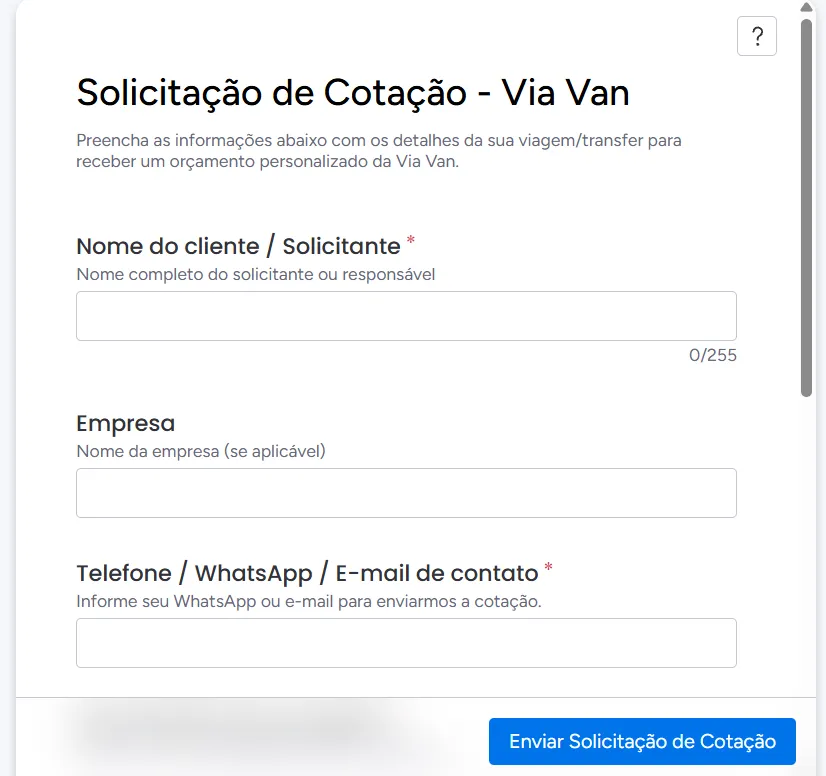
    Integrated form: the customer enters name, company, contact and trip or transfer details, and the quote goes straight into the system.

  2. 02

    Sent quotes

    Quotes grouped by month, with status, sales dashboard and pipeline views, and 8 automations.

  3. 03

    Service schedule

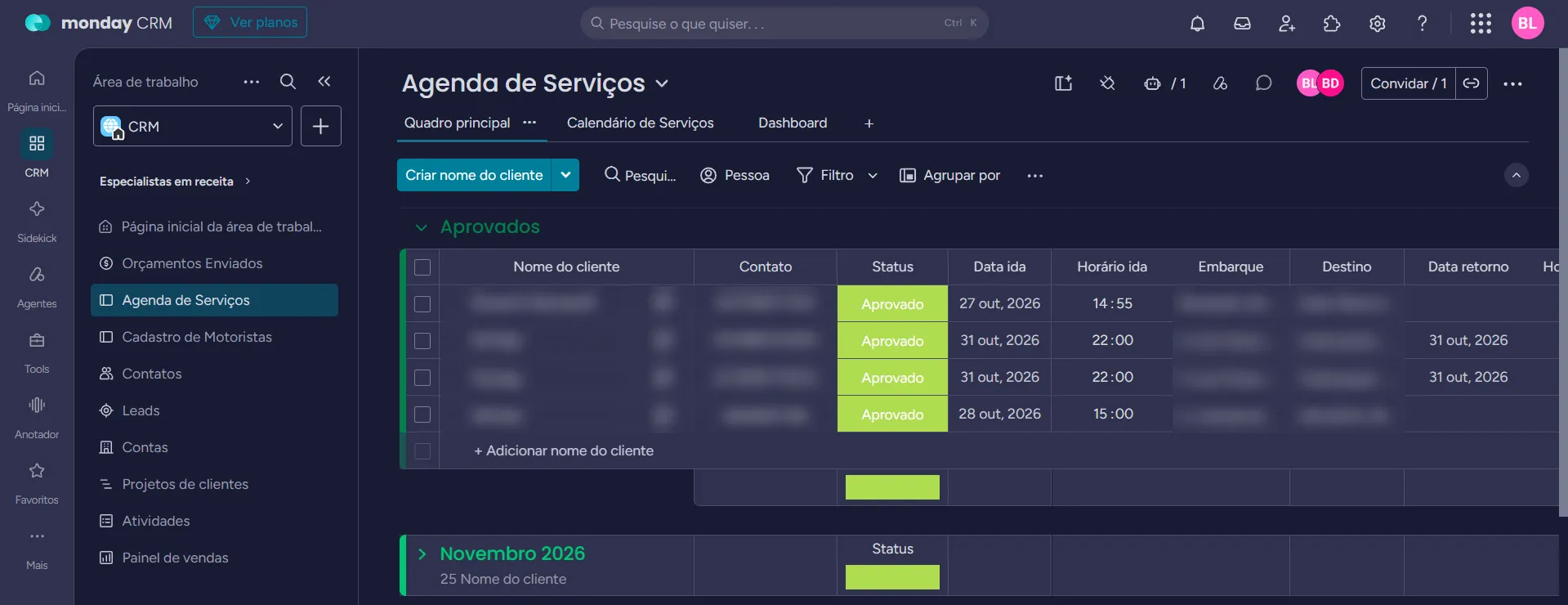
    Approved services with departure date and time, pick-up, destination and return, with calendar and dashboard views.

  4. 04

    Driver registry

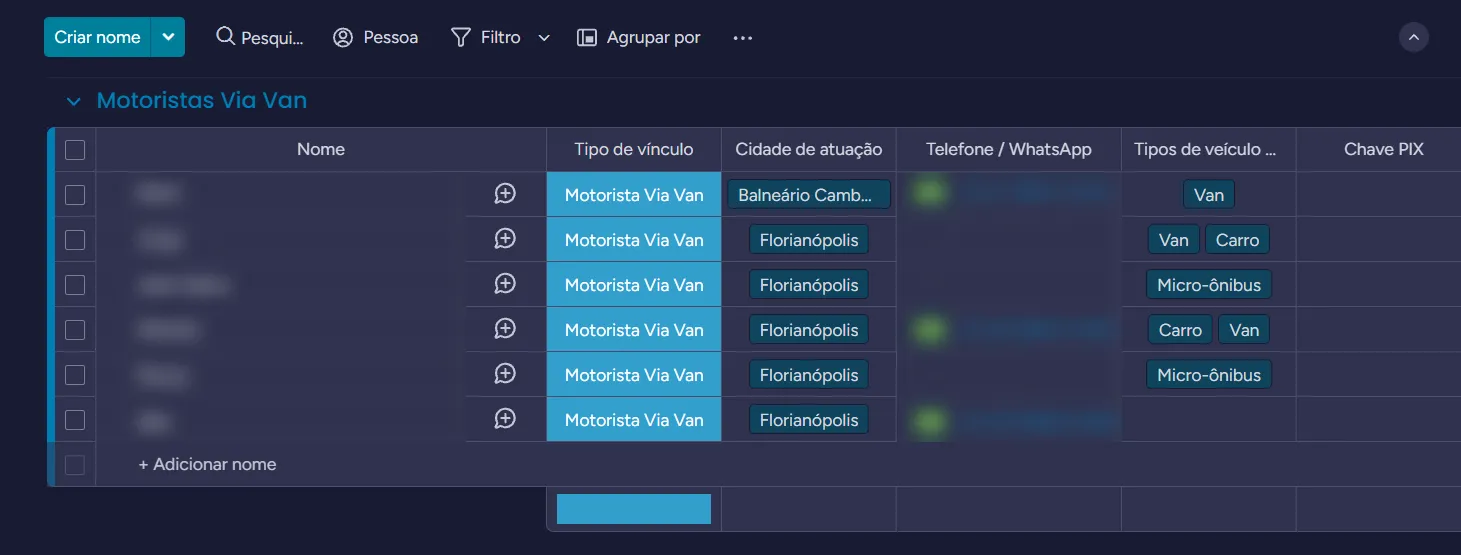
    Via Van and third-party drivers, with type of contract, city, contact, vehicle types and PIX key.

  5. 05

    Service order by formula

    A formula combines date, customer, contact, times, pick-up, destination, vehicle and amount due into a ready-to-send service order text.

“Solicitação de Cotação - Via Van” (quote request) form with name, company and contact fields.
Fig. 01 — Quote form
“Orçamentos Enviados” (sent quotes) board grouped by month, with contact, status, departure date and time and pick-up columns.
Fig. 02 — Sent quotes
“Agenda de Serviços” (service schedule) board with approved services and the CRM side menu.
Fig. 03 — Service schedule
Driver board with type of contract, city, phone, vehicle types and PIX key.
Fig. 04 — Driver registry
monday.com formula builder with the formula that builds the service order text.
Fig. 05 — Service order formula

Learnings

What changed

  • All service information is in one place, instead of a paper planner.
  • An approved quote goes automatically to the service schedule, with the amount due.
  • The voucher and service order no longer depend on a Google Docs template filled in by hand.
  • Time-consuming manual processes were eliminated.